
Goal planner
Describe a goal. Upsurge plans the campaigns.
Tell Upsurge what you want for your store in your own words. Its AI reads your site, plans campaigns for each moment of the visit, drafts them in your brand, and waits for your go-ahead.
What should we build for Kestrel Trail?
Grow my email list with a welcome offer for first-time visitors.
Or start from an example
- Recover abandoned carts
- Grow my email list
- Help customers find products
- Save sales at exit
Nothing goes live until you say so.
What it does
From one sentence to a full plan
The goal planner does the setup you’d otherwise do product by product, and shows its work as it goes.
Reads your site
It reads up to five pages and your product feed, builds a brand kit from your logo, colors, and fonts, and labels your product photos so each design gets one that fits.
- Logo
- Colors
- Fonts
- Product photos
Plans the whole visit
Up to eight campaigns, each at its own moment in the visit, so they work together instead of competing.
- Overlays
- Recommendations
- AI Chat
- Workflows
Writes the copy
Each overlay gets copy written for its own design, plus up to three headlines to choose from.
- Find your next trail shoe
- New trails, new arrivals
- Your next run starts here
Changes it when you ask
Ask for a change in plain words and the plan updates. Each version is saved, so you can undo any change.
Make the tone warmer and skip the email.
Done. The popup sounds warmer and the welcome email is out of the plan. You can undo this at any time.
How it works
Watch the plan come together
Upsurge says what it’s doing at each step, then shows the plan as one journey to review.
- 1
Reads your site
Your pages, your product feed, and what you already have connected.
- 2
Builds your brand kit
Your logo, colors, and fonts, so every campaign looks like your store.
- 3
Plans the journey
A campaign for each moment that serves your goal.
- 4
Writes the copy
Copy for each design, in your store’s voice.
Grow my email list with a welcome offer for first-time visitors.
- Read Kestrel Trail
- Built your brand kit
- Planned the journey3 campaigns
- Wrote copy for each design
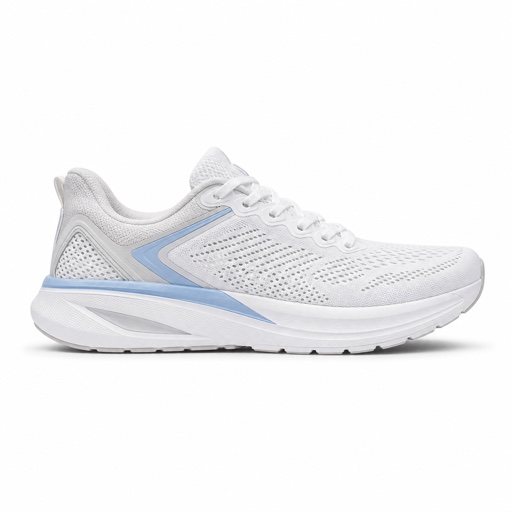
Welcome popupon first visit
While they browse
New-arrival picks
Recommendations
After they sign up
Welcome email
Workflow
You decide
Nothing goes live until you say so
Review the plan before anything reaches your store. Choose which campaigns go live and which stay drafts, and see what each one still needs.
- Draft or live, campaign by campaign
- What each campaign needs before it can go live
- Workflows stay drafts until you confirm them
Ready to create
Grow my email list
- DraftGo live
Welcome popup
Overlay
- DraftGo live
New-arrival picks
Recommendations
- DraftGo live
Welcome email
Workflow
Before the welcome email can go live
Connect an email service
The welcome email sends through it.
Bring a goal to your demo
In a 30-minute call, we’ll walk through the goal planner with a goal like yours and show you what it plans.